An LED wall that is cared for regularly runs reliably for many years. One that is neglected deteriorates faster than necessary: loss of brightness, pixel failures, expensive emergency repairs. The good news: the most important maintenance tasks are simple, and most of them can be handled in-house. This article gives you a concrete, field-tested checklist, including the most common mistakes you should avoid.
Cleaning: The Most Important Routine
Dust and dirt on LED modules are not a cosmetic problem: they reduce perceived brightness and can lead to local overheating. Cleaning is the single most effective care measure.
How to clean properly:
• Always switch off the display and disconnect it from the power supply before cleaning
• Use an anti-static microfiber cloth, not an ordinary cotton cloth, which leaves streaks and can create static charge
• Use distilled water or a special anti-static display cleaner; no tap water (limescale), no glass cleaner
• Lightly dampen the cloth; never spray liquid directly onto the display
• Gentle, circular movements from the inside outwards
• Then let it dry completely before switching the display back on
What you must avoid at all costs:
• Alcohol, acetone or household cleaners: they attack the LED chips and coatings
• Abrasive cleaners or rough cloths: they scratch the surface
• High-pressure cleaners (except on specially designed outdoor displays rated IP67+)
• Too much pressure on individual pixels
Frequency: At least once a month, or more often if the display is operated in a dusty environment (production, trade fairs, warehouses).
Weekly Visual Check (5 Minutes)
A quick look once a week is part of basic care. What to check:
• Pixel failures: Are there dark or wrongly colored pixels? Small failures can spread if they are not addressed in time.
• Brightness differences: Do individual modules look brighter or darker than the rest? This could indicate that calibration is needed.
• Flickering or image dropouts: Are there irregular disturbances? Often a cable connection problem.
• Unusual noises: Humming or buzzing can point to an overloaded power supply.
• Content check: Is the scheduled content playing without errors and on time?
Simply note your findings in a short logbook: this helps to identify patterns during the next visit by a specialist company.
Monthly Checklist
In addition to cleaning, once a month:
• Check cables and plug connections for visible damage, loose connections or discoloration
• Keep ventilation slots and ventilation areas clear and, if necessary, remove dust with a gentle burst of compressed air
• Operating temperature check: Does the back of individual modules feel unusually hot? This could indicate an overheating power supply or insufficient ventilation.
• Software and firmware: Is an update available for the controller or media player?
Six-Monthly Inspection (Specialist Company)
Twice a year, a specialist company should inspect the system more thoroughly:
• Brightness and color calibration: Color and brightness matching across all modules. LED modules age at different rates; without regular calibration, visible brightness differences appear.
• Power supply: Measurements on power supply units and controller units
• Firmware update: Keep the system up to date
• Mounting structure mechanics: Check fasteners for loosening or corrosion
• Cable management at the rear: Check the connections behind the modules
Annual Full Maintenance
Once a year, a complete system diagnosis is part of the routine:
• Pixel test: Every single pixel is checked for function (dead pixel scan)
• Internal cleaning: Remove dust from the back of the modules, the cooling surfaces and any fans
• Module assessment: Document the condition of each module; replace modules with increased wear as a preventive measure
• Complete documentation: Record all findings for warranty and insurance purposes
The 5 Most Common Care Mistakes
1. Never cleaning: Dust build-up noticeably reduces brightness and can lead to overheating. According to the manufacturer Comsight Display, a display that is cleaned irregularly can lose 20 to 30 percent of its brightness within two years.
2. The wrong cleaning agent: Alcohol or glass cleaner may sound harmless, but they can attack coatings and cause damage in the long run.
3. Running the display at maximum brightness all the time: Constant 100 percent brightness puts heavy strain on the LED chips. An adjusted operating brightness (50 to 70 percent) extends the lifespan considerably.
4. Ignoring pixel failures: Individual defective pixels that are not addressed can spread. Replacing a module early is cheaper than emergency repairs.
5. No maintenance contract: For 24/7 operation or large installations without an in-house AV team, a service contract with defined response times makes sense, especially when every hour of downtime is expensive.
The Advantage of Modularity
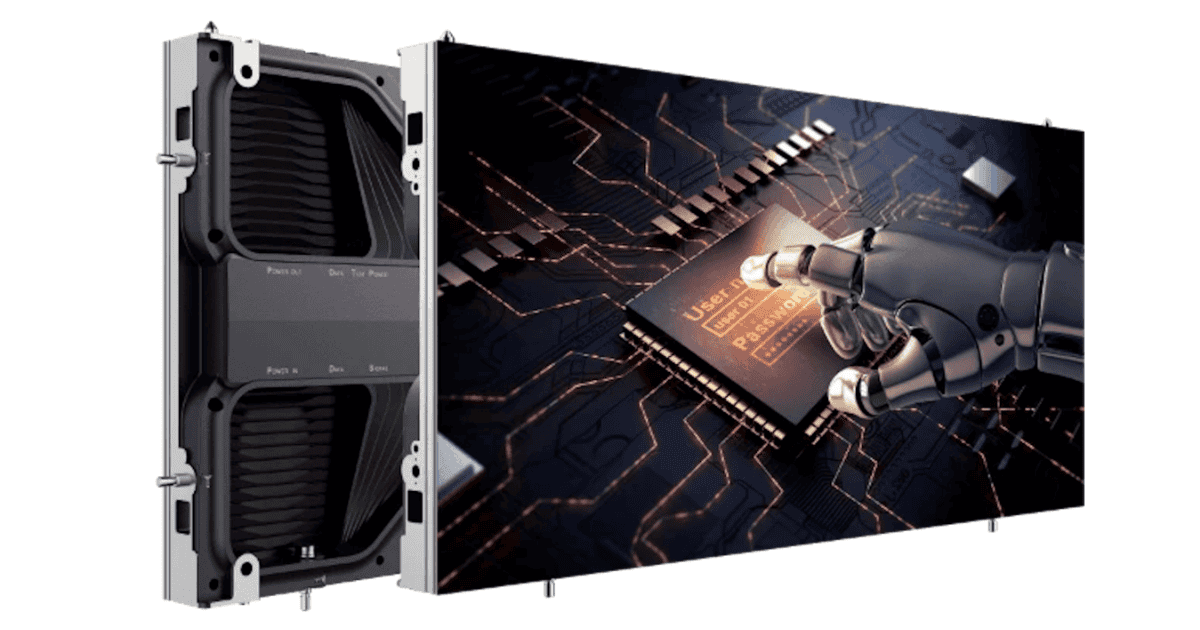
The biggest maintenance advantage of LED walls over LCD video walls: every module can be replaced individually. If a module is defective, only that module is replaced, not the entire display. With front-service installations, the replacement is even possible during operation, without dismantling the wall.
This modularity makes LED walls easier to maintain in the long term than any alternative. So always keep 1 to 2 spare modules in stock, especially for LED walls that are in use every day.
More on lifespan and L50/L70 values: LED wall maintenance: intervals and costs (in German) →
Optimizing Operation: More Than Just Care
Good care starts with how you use the wall. Three simple measures extend its lifespan even further:
Limit operating hours: If you switch the LED wall on and off automatically in line with business hours, you save operating hours and energy. A timer-controlled system costs little and pays off.
Follow content guidelines: Dark backgrounds with colored elements use measurably less power than full white images, and they wear the pixels more evenly.
Rotate static content: Images that stay static in the same position for long periods lead to uneven aging. Make sure the content changes regularly.
More on energy efficiency in operation: Energy efficiency of LED walls: power consumption and operating costs →
Unilumin URM III MK2: modular LED wall with easy front service →
Everything about planning and buying: Buying an LED wall: the comprehensive guide →
Sources and Notes
Brightness loss due to lack of cleaning: Manufacturer information from Comsight Display: displays that are not cleaned can lose 20 to 30% of their brightness within 2 years, maintained displays only about 10%. Individual values depend on the environment and use.
Maintenance intervals: The recommendations are based on manufacturer guidelines (REISSOPTO, Unilumin, Comsight Display) and correspond to industry standards for professional LED video walls.