


Video Wall System Integration in AV and IT Environments
A video wall is not just a big screen. Once you integrate it into your AV and IT network, things get complex. Signal, control, network, compatibility: everything has to fit together. This integration is exactly what decides whether a project succeeds or fails. And this is exactly where we want to help you.
Why System Integration Is So Critical
You've bought a new video wall, so you might think the installation is done. But no. The real work is only just beginning: how do you connect it to your projector, your conference camera, your AV receiver? How do you control it seamlessly in meetings? And how does it all work reliably if your IT team doesn't know the requirements?
Countless projects fail not because of the video wall itself, but because signals don't arrive, control programs don't work or the network doesn't cooperate. System integration means thinking everything through before it's too late.
Signals and Protocols: The Foundation
A video wall needs an input signal. But which one? Here are the four most important protocols you need to know:
HDMI is the classic AV protocol. It is widespread, easy to handle and works up to about 50 meters with active extenders. But HDMI is not professional in the sense of system integration. It was made for consumer devices. For long cable runs you need repeaters or fiber, and that gets expensive. HDMI is mainly suitable for smaller video walls or as a backup solution.
SDI (Serial Digital Interface) is the professional standard for broadcast. It works over coaxial cable across long distances without active extension. How long the cable can be depends on the SDI standard and the cable. If you operate a video wall in a control room, an operations center or a studio, SDI is often the first choice. It is robust, latency-free and timing-safe. But SDI infrastructure is expensive and you need specialized hardware.
NDI (Network Device Interface) is the new protocol for IP-based AV. It runs over your existing network, which makes it very interesting for modern conference rooms. You don't need any special cabling; you use your gigabit infrastructure instead. NDI is low-latency and scalable. But the network quality has to be right, and that requires QoS management.
Dante is primarily for audio, but it is increasingly being extended to video as well. It is the protocol for professional audio networking and integrates perfectly into modern AV-over-IP setups. If you need to synchronize audio and video, Dante is often the most elegant solution.
Which protocol suits your project? That depends on your infrastructure, your distances and your requirements. That's why these factors belong at the very start of planning.
AV-over-IP: The Future of System Integration
AV-over-IP means that your video wall communicates with all devices over the IP network. No more specialized AV cabling, just your existing infrastructure.
That sounds simple, but it isn't. AV-over-IP needs bandwidth. A lot of bandwidth. A video wall with 4K resolution generates a data stream that you can't simply squeeze into your existing Wi-Fi. You need gigabit Ethernet, ideally with a dedicated line or VLAN segmentation. Network switching has to be top-notch, otherwise you lose frames or get latency.
And this is where system integration comes in: the network is checked, switches are sized, QoS profiles are calibrated and stability is tested under load. Network infrastructures often look sufficient on paper but don't live up to their promise in practice. AV-over-IP forces you to do it right.
Control Systems and Management Hierarchy
How do you control a video wall in a conference room or a control center? You'll need a control system. The big players are Crestron, Extron and AMX. But what sets them apart?
Crestron is popular in the high-end corporate segment. It offers extensive IV (Integrated Video) features, good network support and a large ecosystem of peripheral devices. Crestron systems can be operated via touch panels, smartphones or web interfaces.
Extron focuses on AV technology. Its devices are robust, affordable and specialized in signal processing and switchers. If your video wall is part of a large AV network, Extron is often a perfect fit.
AMX is the classic choice for large system integrations. The portfolio is broad, the technology mature. You'll find AMX systems at media corporations, in large control centers and in broadcasting.
Important: a control system must be compatible with your video wall. That means it must be able to control the video wall via RS-232, Ethernet or an HTTP API: power, switching inputs, adjusting brightness if necessary. Test this compatibility before the system is signed off. No surprises after go-live.
Network Requirements and EDID Management
A video wall on the network needs stability. But what does that mean in concrete terms?
Bandwidth comes first. A 4K video wall at 60 Hz with 10-bit color depth needs considerable bandwidth in the AV-over-IP stream. How much depends heavily on the codec and the compression. If you have several streams or the network carries other data, it adds up quickly. So plan your network connections with sufficient headroom.
Latency comes second. Video wall inputs should be low-latency so that they run in sync with other AV devices. This is often where low-cost IP implementations run into problems. Measure the latency and optimize the buffer settings if necessary.
EDID management is the underestimated detail. EDID stands for "Extended Display Identification Data" and tells the source which resolutions, frame rates and color spaces the video wall supports. Incorrect EDID leads to black screens or flickering. In system integrations with several video walls or switches, you need to manage EDID carefully. There are tools and switches that resolve EDID conflicts.
Audio Integration and Synchronization
A video wall doesn't just mean video. Often you also need sound: conference audio from the Zoom call, sound from your video playback, audio from the presenter.
This is where it gets tricky. Video and audio have to be in sync: this is the lip-sync problem. If sound and video drift apart by as little as 100 ms, your audience notices immediately. Synchronization requires care.
Dante is your friend here: it transports audio and video over the same network with guaranteed timing. That makes lip sync a non-issue. Without Dante, you have to route audio and video separately and then synchronize them in your control system, which takes a lot of effort.
Audio needs system integration too: which audio outputs does your video wall have? HDMI? SPDIF? RCA? Where is the sound mixed: in the video wall itself, in an AV receiver or in your control system? Which speakers are installed in the meeting room? All of this has to fit together.
Video Wall Integration in the Conference Room
A modern meeting room with a video wall is an AV system. Many signals come together there: the camera of the conferencing system (Zoom, Teams), the presenter's laptop (HDMI or Wi-Fi), colleagues' Microsoft Surface devices, possibly a document camera.
When it comes to integration, you have to ask: how do you coordinate these inputs? Switch manually? Then it's not a real system, just chaos in meetings. Automatically via a control system? Then you need logic, source priorities and fallback scenarios.
A good system has scenarios: "Video meeting" switches the camera output to the video wall and ignores the laptop HDMI. "Presentation" activates the HDMI inputs and hides the camera. "Dual screen" shows video participants on the left and the presentation on the right. Your control system orchestrates all of this at the push of a button or automatically when a call comes in.
Modernizing conference rooms follows exactly this integration approach: it's not about individual devices but about the overall system. The video wall is one part of it.
Testing and Validating Compatibility
Before your video wall system goes live, it has to be tested. But how?
Testing takes place on several layers:
Layer 1: Hardware compatibility. Does the video wall accept all the input signals you feed into it? HDMI, SDI, NDI: does every protocol work? Live tests run with real sources, not with test generators.
Layer 2: Control system compatibility. Can your control system really control the video wall? All functions? Small test scripts help validate this.
Layer 3: Network load test. How does AV-over-IP behave under load? For this, several streams are simulated at the same time and stability, latency and frame loss are checked.
Layer 4: Live test in context. This means running real meetings. Zoom, Teams, presentations: everything under realistic conditions. Only if this works is the project a success.
Validation is not optional. It is your assurance that your video wall integration runs reliably.
LED Variants and Their Integration Requirements
There is no such thing as "the" video wall. Depending on the use case, you need different LED technologies:
Standard SMD LED for meeting rooms and offices. High brightness, good color reproduction, affordable. Signal requirements are moderate, typically HDMI or NDI over an office network.
COB LED (chip-on-board) for better pixel density and contrast quality. This is where you often see video walls for control rooms, where image quality is crucial. SDI or AV-over-IP with a professional network.
Mini LED for extreme brightness and outdoor applications. High power consumption, more complex power supply, often with their own cooling systems. Integration requires specialized infrastructure.
Micro LED as the technology of the future: extremely high resolution, low power consumption. These video walls are still in the premium segment, but their integration requirements are similar to those of COB LED, with additional requirements for high-resolution signals (8K, HDR).
Which variant is right for you? That depends on the location (indoor/outdoor), the viewing distance, the ambient brightness and the budget. We'll advise you on this.
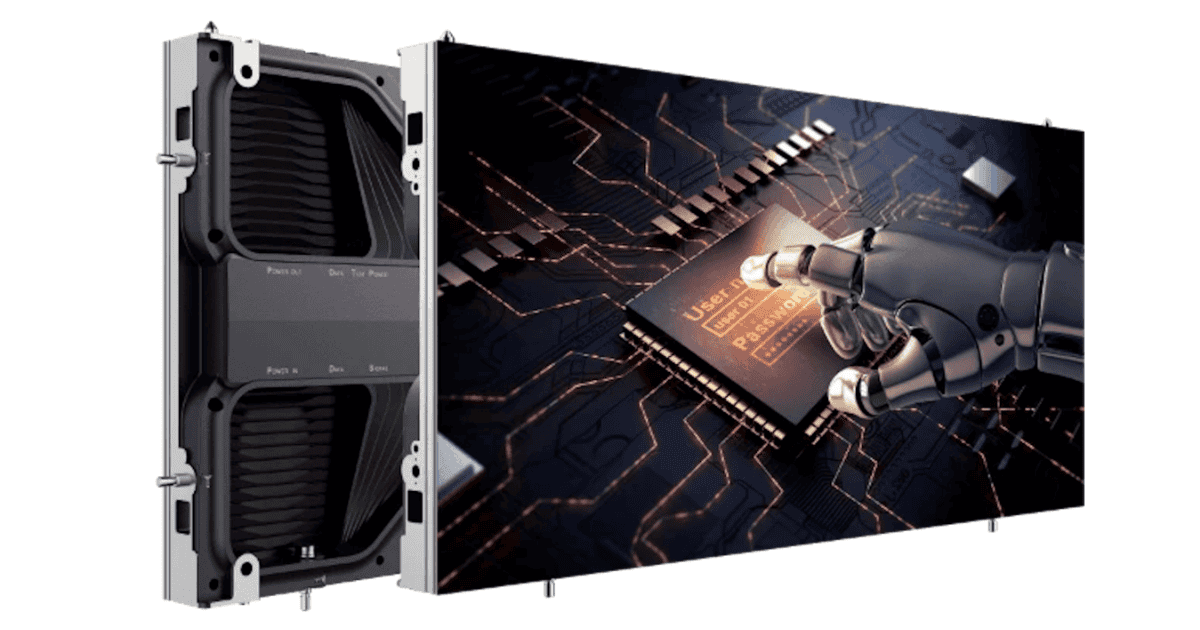
From our product portfolio, we recommend the Unilumin ULW III Pro Series, which integrates excellently into modern AV and IT environments.
System Integration in Practice: How a Project Runs
How does a system integration project work?
Phase 1: Analysis. First, your infrastructure is analyzed: network topology, existing AV equipment, IT policies, budget. This is also where the key questions are answered: what should the video wall be able to do? Show just one source? Several sources? What does it need to communicate with?
Phase 2: Design. Then the system architecture is designed. Which protocols? Which control system? How does the cabling work? How are the network VLANs configured? Everything documented, everything agreed with you.
Phase 3: Procurement. Hardware and software are procured. What counts is compatibility, not the lowest price. The right component is often more expensive, but it saves troubleshooting later.
Phase 4: Installation and configuration. The video wall is installed, cables are laid, the control system is configured and AV-over-IP is set up. Everything is documented.
Phase 5: Testing and validation. Everything is tested extensively. First on its own, then together with you. First in a test setup, then in your live network.
Phase 6: Training and support. Your team is trained. How do you operate the system? How do you fix minor problems yourself? What support services are available?
That sounds like a lot of work. And yes, it is. But it's the work that counts. The video wall itself is the easy part. The integration is the art.
An investment in an LED wall needs solid planning.
Kampro advises you on the optimal LED wall solution.
Sources and Notes
For more information on specific integration scenarios, we recommend these articles:
Video Wall Mounting: Planning, Fastening and Installation in B2B: everything about physical installation and mounting.
Networked Control Room Video Walls: Planning and Operation in B2B (in German): specific requirements for control centers and control rooms.
Video Walls in Control Rooms: Planning, Technology and Operation (in German): integration requirements specific to operations control rooms.
Indoor Video Walls: Requirements, Technology and Use in B2B (in German): requirements for indoor video walls in various settings.
Do you have questions about your video wall project? Write to us or give us a call. We're happy to help.