
Maintenance of LED Walls in Reception Areas: A B2B Guide

LED Wall Tips
Einzelnes Blog-Bild

Maintenance of LED Walls in Reception Areas: A B2B Guide

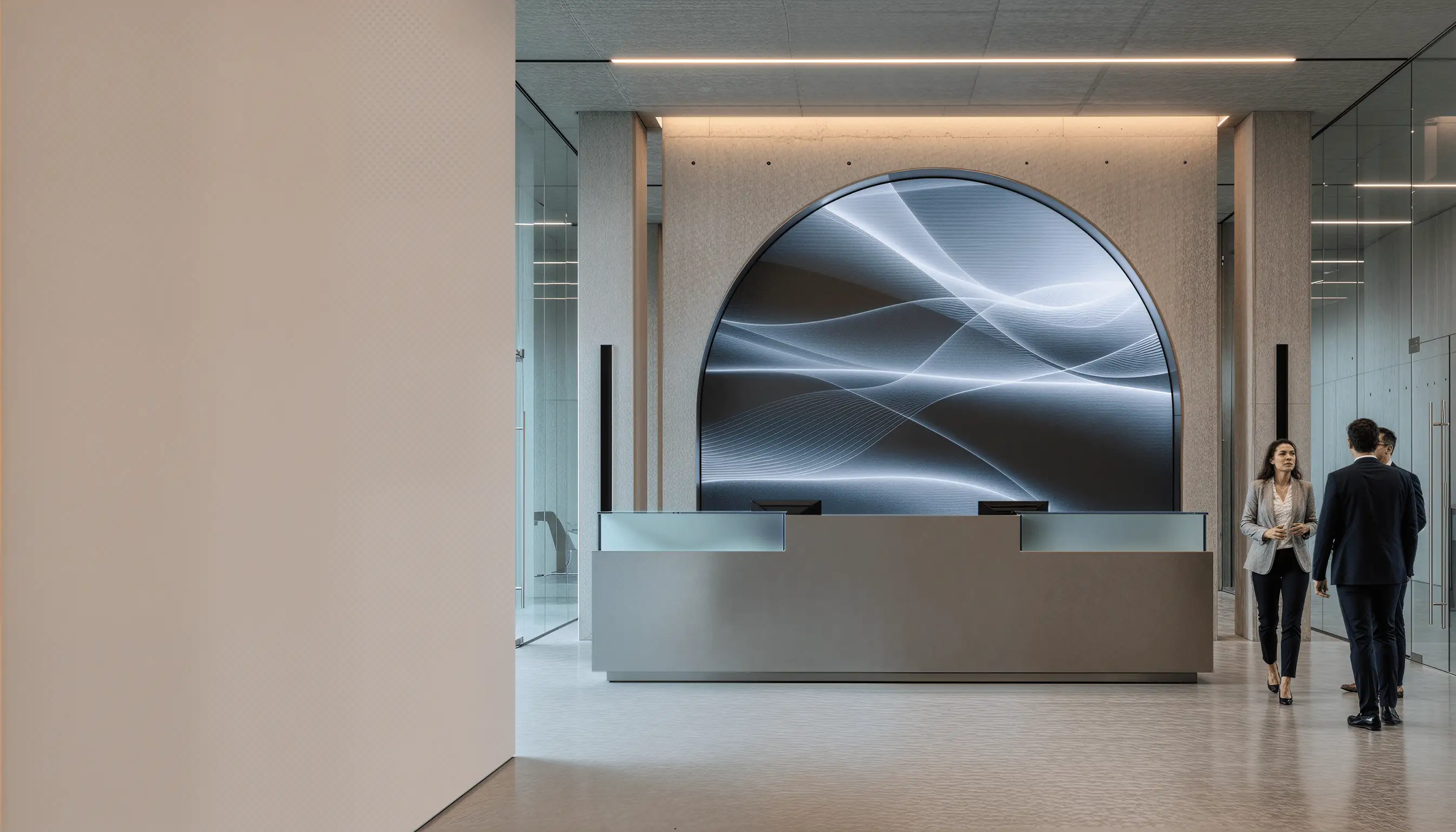
An LED wall in the reception area is not just a display in many companies, but a mission-critical component of daily operations: it influences the first impression, supports visitor guidance, and is sometimes used for safety-related notices. Accordingly, image errors, brightness drift, or a black screen are immediately noticeable — and often have an impact stronger than the purely technical failure would suggest.

In practice, risks arise less from rare total failures and more from preventable operational gaps: missing maintenance windows, unclear responsibilities between facilities and IT/AV, no spare parts on-site, untested redundancies, or cleaning without proper ESD and material protocols. At the same time, reception systems often run many hours daily under changing ambient brightness — with direct impact on thermal load and aging.

This guide explains how B2B-responsible parties in facilities management, real estate, and IT can establish a maintenance routine for reception LED walls that minimizes disruption, extends equipment life, and supports the operational reliability expectations of users and visitors.

1) Commissioning and Acceptance: The Foundation for Reliable Maintenance

The key point: a thorough commissioning phase, proper documentation, and a clear handoff to operations are the foundation for trouble-free long-term operation.

Many problems that emerge months later have their roots in incomplete commissioning. Key points include:

  • System documentation: Component list, wiring diagrams, control system access, firmware versions, supplier contacts, warranty terms.
  • Baseline measurements: Initial brightness, color temperature, contrast values, uniformity mapping (crucial for spotting degradation later), thermal readings during typical operating hours.
  • Redundancy testing: If backup modules, power supplies, or signal paths are installed, they must be actually tested — not just assumed to work.
  • Environmental conditions: Document ambient light ranges, temperature fluctuations, humidity, and any reflective surfaces that influence image perception.
  • Content workflow: Who creates, updates, and schedules content? What formats, resolutions, and quality standards apply?
  • Clear support chain: A reception LED wall is visible to everyone. A clear escalation path (front desk → facilities → supplier support) and known response times prevent communication breakdown during outages.

Practical example: a company hands over a completed LED wall to the facilities team without a maintenance manual or contact list. When a brightness issue occurs three months later, no one knows whether it’s normal aging, a calibration drift, or an actual defect. A single commissioning day with measurements and documentation would have answered this immediately.

2) Routine Maintenance: Inspection, Cleaning, and Monitoring

The key point: regular visual inspection and predictive monitoring prevent most problems before they become visible to visitors.

Routine maintenance is about early detection. Key activities are:

Visual inspection: Every 1–4 weeks, depending on environment:

  • Dark pixels or clusters (dead LEDs or driver faults)?
  • Brightness unevenness or color shifts (module drift, power supply aging)?
  • Mechanical damage, looseness, or seal degradation?
  • Cable wear, connector corrosion, or thermal discoloration?

A simple checklist with photos (weekly), plus quarterly close-ups with a smartphone on a tripod, often reveals problems weeks before they become critical. This also creates a visual timeline for your supplier.

Cleaning: Dust and salt aerosol (near coasts) degrade brightness and can cause thermal hot spots. Safe cleaning requires:

  • Power-off or safe isolation (consult the manual).
  • ESD-compliant handling (wrist strap, grounding).
  • Soft brushes or compressed air only — never liquids on live modules.
  • Frequency: every 2–8 weeks, depending on environment (coastal areas need more frequent cleaning).

Improper cleaning is a common hidden cost. Liquid cleaners on powered modules cause short circuits. Aggressive brushing damages optical diffusers. A simple dry-air/brush routine, done monthly, prevents 80% of dust-related problems.

Brightness and color monitoring: Older systems may require manual measurements quarterly or semi-annually. Modern LED walls offer built-in sensors or network monitoring:

  • Log brightness readings and color temperature over time.
  • Set alerts if drift exceeds ±10% from baseline or if individual zones deviate by >5%.
  • Early warning often saves expensive unplanned repairs and downtime.

Thermal monitoring: Many LED walls generate significant heat. Check that cooling vents are unobstructed and that ambient temperature near the module stays within spec (usually 0–40 °C). Excessive temperature shortens LED lifespan dramatically.

3) Service Intervals and Predictive Maintenance

The key point: planned maintenance windows (e.g., quarterly deep cleans, annual full inspections) prevent surprise failures and extend equipment life by 20–40%.

Quarterly deep cleaning and inspection:

  • Professional cleaning with proper ESD protocols.
  • Thermal camera scan or contact measurement to spot hot spots.
  • Close visual inspection of all module seals, connectors, and mechanical mounting.
  • Log findings in a maintenance record.

Semi-annual professional inspections:

  • Full system diagnostics (signal flow, power distribution, control response).
  • Brightness and uniformity mapping (compare to commissioning baseline).
  • Firmware updates if available (important for security and performance).
  • Spare parts review (ensure critical components are in stock if needed).

Annual comprehensive maintenance:

  • Power-cycle and stress test (run continuously for 24 hours, observe stability).
  • Redundancy test (if dual power supplies, switch to backup under load).
  • Full electrical safety check (grounding, isolation, leakage currents).
  • Content delivery chain test (ensure CMS, player, and scaling work end-to-end).

Investment: a professional quarterly clean/inspect and annual full maintenance typically costs EUR 500–1,500 per LED wall, depending on size and supplier. Compared to the cost of an unexpected downtime or early module failure, this is a clear ROI.

4) Troubleshooting and Problem Management

The key point: a structured troubleshooting process and clear communication with suppliers minimize downtime and repeat failures.

Rapid response checklist (first 5 minutes):

  • Is power reaching the display? Check breaker, outlet, and main power cable.
  • Does the control system respond? Restart the media player and check network connectivity.
  • Is the image black or are there dark zones? Check brightness setting and try loading a test pattern.
  • Take a photo and document the exact behavior (which areas, which colors, timing of occurrence).

Known issues and quick fixes:

  • Brightness drift: Often due to automatic brightness control mistuned for ambient light changes. Recalibrate or switch to manual mode temporarily.
  • Color shift: Can result from thermal drift during warmup. Allow 30 minutes of operation before final judgment.
  • Single dark module: Often a blown power supply fuse or a loose connector. Power down and check connections before calling support.
  • Flicker or sync loss: Usually a signal path issue. Restart the media player and check cable connections.

Escalation to supplier support:

If basic troubleshooting doesn’t work within 15 minutes, escalate. Provide your supplier with:

  • Commissioning documentation (model, serial number, firmware version, configuration).
  • Photos and videos of the problem.
  • Exact timeline (when did this start, is it intermittent?).
  • Any recent changes (updates, maintenance, new content).
  • Relevant environmental data (temperature, humidity, ambient light at the time).

Practical example: a display has intermittent color shifts. The first reaction is often “the LED is failing.” With documentation, a supplier can often determine that it’s a temperature compensation setting or a firmware quirk — fixable in minutes via remote access, rather than an expensive on-site repair.

5) Spare Parts and Redundancy Strategy

The key point: a clear spare parts plan and realistic redundancy measures are critical for reception areas, where outages are immediately visible to visitors and impact first impressions.

Spare parts inventory:

  • Critical components: Power supply modules (usually 1–2 available on-site), backup media player, spare network cable, fuses, connector replacements.
  • Stock commitment: Agree with your supplier on what is kept on-site vs. overnight-shipped.
  • Storage: Keep spares in a clean, dry, temperature-controlled cabinet (not exposed to dust or humidity).
  • Tracking: Document what you have, expiry dates (power supplies age), and replacement schedule.

Redundancy options:

  • Dual power supplies: Most LED controllers support hot-swappable supplies. If one fails, the display continues without interruption. Cost: ~EUR 300–1,000 extra at purchase.
  • Backup media player: A second smaller player on standby can be switched manually or automatically if primary fails. Cost: ~EUR 500–2,000.
  • Dual network feeds: Critical for high-uptime scenarios. Often justified in representative offices.
  • Modular LED design: Some systems allow a failed module to be swapped out in 15–30 minutes. For others, the entire wall must be serviced. This affects MTTR (mean time to repair).

Practical assessment: if the LED wall is used for visitor guidance or safety information, even 30 minutes of downtime can be problematic. Dual power and a backup player are often justified. If the wall is decorative/informational only, simpler redundancy suffices.

6) Environmental and Safety Considerations

The key point: LED walls generate heat, consume power, and are exposed to varying ambient conditions — all of which influence long-term reliability.

Power and cooling:

  • Ensure adequate cooling (ventilation, not blocked by furniture or architectural features).
  • Monitor ambient temperature (ideal: 18–28 °C; operating range: 0–40 °C).
  • Check that HVAC doesn’t blow cold air directly on the module (can cause condensation).
  • Calculate power draw and ensure the circuit is not overloaded (LED walls typically draw 10–50 kW, depending on size and brightness).

Grounding and electrical safety:

  • Ensure proper grounding of metal frames and enclosures.
  • Annual electrical safety inspection (leakage current, insulation resistance).
  • Label power and signal connections clearly to prevent accidental disconnection.

Light and glare:

  • High brightness in enclosed spaces can cause visual fatigue for staff working nearby. Consider automatic dimming based on ambient light.
  • Reception staff should not be positioned directly in the line of sight for extended periods.

Humidity and condensation:

  • In high-humidity environments (coastal areas, lobbies near fountains), monitor for condensation, especially during thermal cycling.
  • Ensure the LED wall’s ventilation is not compromised.
  • Use desiccant packs in rear-access cavities if needed.

7) Documentation and SLA Alignment

The key point: clear documentation and agreed service levels prevent disputes and ensure accountability.

Maintenance record:

  • Log every inspection, cleaning, repair, and parts replacement.
  • Include dates, observations, actions taken, and who performed the work.
  • Track environmental conditions at the time (temperature, humidity, brightness).
  • This creates a chain of evidence for warranty claims and helps suppliers spot recurring issues.

Service level agreement (SLA) with supplier:

  • Response time: How long until a technician can begin work (e.g., 4 hours, next business day)?
  • Mean time to repair (MTTR): Expected duration to resolve common problems.
  • Availability target: E.g., 99% uptime, excluding scheduled maintenance windows.
  • Scope: Is cleaning covered? What about parts replacement?
  • Cost model: Flat-rate vs. incident-based; what’s included in warranty vs. chargeable?

Practical note: clearly documented SLAs prevent misunderstandings. “Fast support” is vague; “technician responds within 4 business hours” is measurable.

Troubleshooting Quick Reference

Problem Likely Cause Quick Check Action
Black screen Power, signal, or control issue Check power indicator, restart media player If persistent, escalate to supplier
Dim image Brightness setting, dust, or aging Check brightness control, inspect for dust Clean if needed; monitor over time
Color shift Thermal drift or color calibration Allow warmup time, check settings Recalibrate if drift continues
Dark pixels/zones Dead LEDs or module fault Take photo, compare to previous images Contact supplier for module swap
Flicker or sync loss Signal or refresh rate issue Restart media player and controller Check signal cable, update firmware if available

Conclusion: Long-Term Reliability Through Structured Maintenance

LED walls in reception areas are high-visibility assets. Unplanned downtime damages reputation far more than the technical failure itself. By implementing structured commissioning, routine inspection and cleaning, planned maintenance intervals, clear troubleshooting processes, and realistic redundancy measures, you ensure that your LED wall operates reliably for years — delivering consistent visitor experience and supporting daily business operations.

The investment in systematic maintenance is quickly repaid through extended equipment life, avoided emergency repairs, and sustained brand impact in the reception area.

Cta V3 Bild
Artikel von

Kampro

Blog-Share-SymbolBlog-Share-SymbolBlog-Share-Symbol
Share on:
Blog Share IconBlog Share IconBlog Share IconBlog Share Icon

Maintenance of LED Walls in Reception Areas: A B2B Guide

An LED wall in the reception area is not just a display in many companies, but a mission-critical component of daily operations: it influences the first impression, supports visitor guidance, and is sometimes used for safety-related notices. Accordingly, image errors, brightness drift, or a black screen are immediately noticeable — and often have an impact stronger than the purely technical failure would suggest.

In practice, risks arise less from rare total failures and more from preventable operational gaps: missing maintenance windows, unclear responsibilities between facilities and IT/AV, no spare parts on-site, untested redundancies, or cleaning without proper ESD and material protocols. At the same time, reception systems often run many hours daily under changing ambient brightness — with direct impact on thermal load and aging.

This guide explains how B2B-responsible parties in facilities management, real estate, and IT can establish a maintenance routine for reception LED walls that minimizes disruption, extends equipment life, and supports the operational reliability expectations of users and visitors.

1) Commissioning and Acceptance: The Foundation for Reliable Maintenance

The key point: a thorough commissioning phase, proper documentation, and a clear handoff to operations are the foundation for trouble-free long-term operation.

Many problems that emerge months later have their roots in incomplete commissioning. Key points include:

  • System documentation: Component list, wiring diagrams, control system access, firmware versions, supplier contacts, warranty terms.
  • Baseline measurements: Initial brightness, color temperature, contrast values, uniformity mapping (crucial for spotting degradation later), thermal readings during typical operating hours.
  • Redundancy testing: If backup modules, power supplies, or signal paths are installed, they must be actually tested — not just assumed to work.
  • Environmental conditions: Document ambient light ranges, temperature fluctuations, humidity, and any reflective surfaces that influence image perception.
  • Content workflow: Who creates, updates, and schedules content? What formats, resolutions, and quality standards apply?
  • Clear support chain: A reception LED wall is visible to everyone. A clear escalation path (front desk → facilities → supplier support) and known response times prevent communication breakdown during outages.

Practical example: a company hands over a completed LED wall to the facilities team without a maintenance manual or contact list. When a brightness issue occurs three months later, no one knows whether it’s normal aging, a calibration drift, or an actual defect. A single commissioning day with measurements and documentation would have answered this immediately.

2) Routine Maintenance: Inspection, Cleaning, and Monitoring

The key point: regular visual inspection and predictive monitoring prevent most problems before they become visible to visitors.

Routine maintenance is about early detection. Key activities are:

Visual inspection: Every 1–4 weeks, depending on environment:

  • Dark pixels or clusters (dead LEDs or driver faults)?
  • Brightness unevenness or color shifts (module drift, power supply aging)?
  • Mechanical damage, looseness, or seal degradation?
  • Cable wear, connector corrosion, or thermal discoloration?

A simple checklist with photos (weekly), plus quarterly close-ups with a smartphone on a tripod, often reveals problems weeks before they become critical. This also creates a visual timeline for your supplier.

Cleaning: Dust and salt aerosol (near coasts) degrade brightness and can cause thermal hot spots. Safe cleaning requires:

  • Power-off or safe isolation (consult the manual).
  • ESD-compliant handling (wrist strap, grounding).
  • Soft brushes or compressed air only — never liquids on live modules.
  • Frequency: every 2–8 weeks, depending on environment (coastal areas need more frequent cleaning).

Improper cleaning is a common hidden cost. Liquid cleaners on powered modules cause short circuits. Aggressive brushing damages optical diffusers. A simple dry-air/brush routine, done monthly, prevents 80% of dust-related problems.

Brightness and color monitoring: Older systems may require manual measurements quarterly or semi-annually. Modern LED walls offer built-in sensors or network monitoring:

  • Log brightness readings and color temperature over time.
  • Set alerts if drift exceeds ±10% from baseline or if individual zones deviate by >5%.
  • Early warning often saves expensive unplanned repairs and downtime.

Thermal monitoring: Many LED walls generate significant heat. Check that cooling vents are unobstructed and that ambient temperature near the module stays within spec (usually 0–40 °C). Excessive temperature shortens LED lifespan dramatically.

3) Service Intervals and Predictive Maintenance

The key point: planned maintenance windows (e.g., quarterly deep cleans, annual full inspections) prevent surprise failures and extend equipment life by 20–40%.

Quarterly deep cleaning and inspection:

  • Professional cleaning with proper ESD protocols.
  • Thermal camera scan or contact measurement to spot hot spots.
  • Close visual inspection of all module seals, connectors, and mechanical mounting.
  • Log findings in a maintenance record.

Semi-annual professional inspections:

  • Full system diagnostics (signal flow, power distribution, control response).
  • Brightness and uniformity mapping (compare to commissioning baseline).
  • Firmware updates if available (important for security and performance).
  • Spare parts review (ensure critical components are in stock if needed).

Annual comprehensive maintenance:

  • Power-cycle and stress test (run continuously for 24 hours, observe stability).
  • Redundancy test (if dual power supplies, switch to backup under load).
  • Full electrical safety check (grounding, isolation, leakage currents).
  • Content delivery chain test (ensure CMS, player, and scaling work end-to-end).

Investment: a professional quarterly clean/inspect and annual full maintenance typically costs EUR 500–1,500 per LED wall, depending on size and supplier. Compared to the cost of an unexpected downtime or early module failure, this is a clear ROI.

4) Troubleshooting and Problem Management

The key point: a structured troubleshooting process and clear communication with suppliers minimize downtime and repeat failures.

Rapid response checklist (first 5 minutes):

  • Is power reaching the display? Check breaker, outlet, and main power cable.
  • Does the control system respond? Restart the media player and check network connectivity.
  • Is the image black or are there dark zones? Check brightness setting and try loading a test pattern.
  • Take a photo and document the exact behavior (which areas, which colors, timing of occurrence).

Known issues and quick fixes:

  • Brightness drift: Often due to automatic brightness control mistuned for ambient light changes. Recalibrate or switch to manual mode temporarily.
  • Color shift: Can result from thermal drift during warmup. Allow 30 minutes of operation before final judgment.
  • Single dark module: Often a blown power supply fuse or a loose connector. Power down and check connections before calling support.
  • Flicker or sync loss: Usually a signal path issue. Restart the media player and check cable connections.

Escalation to supplier support:

If basic troubleshooting doesn’t work within 15 minutes, escalate. Provide your supplier with:

  • Commissioning documentation (model, serial number, firmware version, configuration).
  • Photos and videos of the problem.
  • Exact timeline (when did this start, is it intermittent?).
  • Any recent changes (updates, maintenance, new content).
  • Relevant environmental data (temperature, humidity, ambient light at the time).

Practical example: a display has intermittent color shifts. The first reaction is often “the LED is failing.” With documentation, a supplier can often determine that it’s a temperature compensation setting or a firmware quirk — fixable in minutes via remote access, rather than an expensive on-site repair.

5) Spare Parts and Redundancy Strategy

The key point: a clear spare parts plan and realistic redundancy measures are critical for reception areas, where outages are immediately visible to visitors and impact first impressions.

Spare parts inventory:

  • Critical components: Power supply modules (usually 1–2 available on-site), backup media player, spare network cable, fuses, connector replacements.
  • Stock commitment: Agree with your supplier on what is kept on-site vs. overnight-shipped.
  • Storage: Keep spares in a clean, dry, temperature-controlled cabinet (not exposed to dust or humidity).
  • Tracking: Document what you have, expiry dates (power supplies age), and replacement schedule.

Redundancy options:

  • Dual power supplies: Most LED controllers support hot-swappable supplies. If one fails, the display continues without interruption. Cost: ~EUR 300–1,000 extra at purchase.
  • Backup media player: A second smaller player on standby can be switched manually or automatically if primary fails. Cost: ~EUR 500–2,000.
  • Dual network feeds: Critical for high-uptime scenarios. Often justified in representative offices.
  • Modular LED design: Some systems allow a failed module to be swapped out in 15–30 minutes. For others, the entire wall must be serviced. This affects MTTR (mean time to repair).

Practical assessment: if the LED wall is used for visitor guidance or safety information, even 30 minutes of downtime can be problematic. Dual power and a backup player are often justified. If the wall is decorative/informational only, simpler redundancy suffices.

6) Environmental and Safety Considerations

The key point: LED walls generate heat, consume power, and are exposed to varying ambient conditions — all of which influence long-term reliability.

Power and cooling:

  • Ensure adequate cooling (ventilation, not blocked by furniture or architectural features).
  • Monitor ambient temperature (ideal: 18–28 °C; operating range: 0–40 °C).
  • Check that HVAC doesn’t blow cold air directly on the module (can cause condensation).
  • Calculate power draw and ensure the circuit is not overloaded (LED walls typically draw 10–50 kW, depending on size and brightness).

Grounding and electrical safety:

  • Ensure proper grounding of metal frames and enclosures.
  • Annual electrical safety inspection (leakage current, insulation resistance).
  • Label power and signal connections clearly to prevent accidental disconnection.

Light and glare:

  • High brightness in enclosed spaces can cause visual fatigue for staff working nearby. Consider automatic dimming based on ambient light.
  • Reception staff should not be positioned directly in the line of sight for extended periods.

Humidity and condensation:

  • In high-humidity environments (coastal areas, lobbies near fountains), monitor for condensation, especially during thermal cycling.
  • Ensure the LED wall’s ventilation is not compromised.
  • Use desiccant packs in rear-access cavities if needed.

7) Documentation and SLA Alignment

The key point: clear documentation and agreed service levels prevent disputes and ensure accountability.

Maintenance record:

  • Log every inspection, cleaning, repair, and parts replacement.
  • Include dates, observations, actions taken, and who performed the work.
  • Track environmental conditions at the time (temperature, humidity, brightness).
  • This creates a chain of evidence for warranty claims and helps suppliers spot recurring issues.

Service level agreement (SLA) with supplier:

  • Response time: How long until a technician can begin work (e.g., 4 hours, next business day)?
  • Mean time to repair (MTTR): Expected duration to resolve common problems.
  • Availability target: E.g., 99% uptime, excluding scheduled maintenance windows.
  • Scope: Is cleaning covered? What about parts replacement?
  • Cost model: Flat-rate vs. incident-based; what’s included in warranty vs. chargeable?

Practical note: clearly documented SLAs prevent misunderstandings. “Fast support” is vague; “technician responds within 4 business hours” is measurable.

Troubleshooting Quick Reference

Problem Likely Cause Quick Check Action
Black screen Power, signal, or control issue Check power indicator, restart media player If persistent, escalate to supplier
Dim image Brightness setting, dust, or aging Check brightness control, inspect for dust Clean if needed; monitor over time
Color shift Thermal drift or color calibration Allow warmup time, check settings Recalibrate if drift continues
Dark pixels/zones Dead LEDs or module fault Take photo, compare to previous images Contact supplier for module swap
Flicker or sync loss Signal or refresh rate issue Restart media player and controller Check signal cable, update firmware if available

Conclusion: Long-Term Reliability Through Structured Maintenance

LED walls in reception areas are high-visibility assets. Unplanned downtime damages reputation far more than the technical failure itself. By implementing structured commissioning, routine inspection and cleaning, planned maintenance intervals, clear troubleshooting processes, and realistic redundancy measures, you ensure that your LED wall operates reliably for years — delivering consistent visitor experience and supporting daily business operations.

The investment in systematic maintenance is quickly repaid through extended equipment life, avoided emergency repairs, and sustained brand impact in the reception area.
Cta V3 Image
Article by

Kampro

Blog Share IconBlog Share IconBlog Share Icon